Address
Malik Muhammad
#400523
Marion 183
Broad River Correctional Institute
4460 Broad River Road
Columbia SC 29210
Letters and pictures are all photocopied now, but Malik can receive physical copies of your pictures if you send them through Shutterfly or FreePrints.
They can receive zines, books, magazines, and physical copies of postcards.
If you’re writing for the first time…
Please state your intentions clearly — what your capacity is for helping out, how often you are able to communicate, and what methods of communication you’d like to use (ie letters, calls, and/or text messages).
Relevant sections from SCDOC’s family page:
Q. How many newspaper/magazine clippings/crossword puzzle pages or info from the internet (except for info from the SCDOC website) may I send?
A. Up to five pages per envelope provided that the contents do not depict “questionable material.”
SCDOC only accepts books from the following sources:
- Hamilton Book
- Books N Things Warehouse
- Books2Inmates
- SureShot Books Publishing, LLC
- Barnes & Noble (online only)*
- Books-A-Million (online only)*
*Books from Barnes & Noble and Books-A-Million will only get received by Malik if they are purchased online.
SCDOC will reject books sent to Malik from other sources.
“A legitimate invoice or receipt on business stationary/letterhead must be enclosed with the publication(s) received from one of the approved vendors showing the publication was paid for in advance.
Books purchased from these five vendors may still be rejected for content per SCDOC Policy PS-10.08.”
Information from the South Carolina DOC page:
“All incoming inmate mail must be clearly marked with the inmate’s legal name, SCDC number, living unit, full name of the institution, street address, city, state, and zip code with a complete return address in the upper left-hand corner. However, every effort is made to deliver all mail received at every institution.
All mail will be opened and inspected by postal staff prior to being delivered to the inmate. Legal mail is opened and inspected in the presence of the inmate. Mail is not read unless there is reason to believe illegal activity or activity in violation of Agency rules and regulations is present.

Inmates are not allowed to receive cash, stamps, any writing materials, anything to eat, drink, or smoke. General population inmates may receive books, magazines, newspapers if they are sent directly from the publisher or from a publication supplier (licensed bookstore) and if they are paid for in advance. Inmates in lock up areas are limited as to what they may receive.
It is best to contact the inmate to inquire as to what is and what is not allowed before sending anything other than a letter.”
Messaging
For continued contact, Malik prefers messaging, which is done on the app “Getting Out” or the GTL GettingOut website.
Each message costs $0.25. If you’re having trouble putting money on your account through the website/app, you can call (866) 516-0115 to manually enter your account information and card details.
Adding Malik
You must add Malik as a contact for them to be able to message you.
Website
1) On the home page, go to “Contacts” in the top row of tabs.
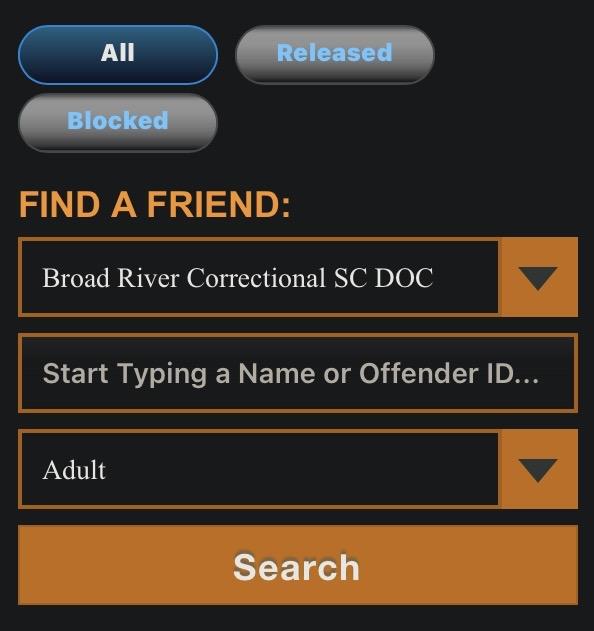
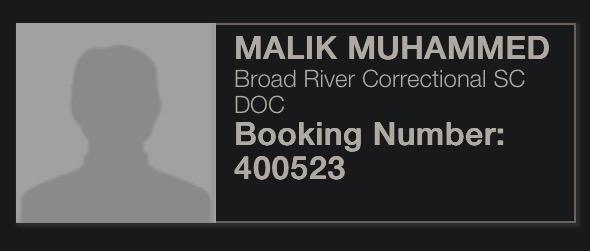
2) From there, a new page will appear, allowing you to select the facility (Broad River Correctional SC DOC) and type in the inmate’s name (Malik Muhammad). Malik’s name will appear, as well as their ID number #400523.
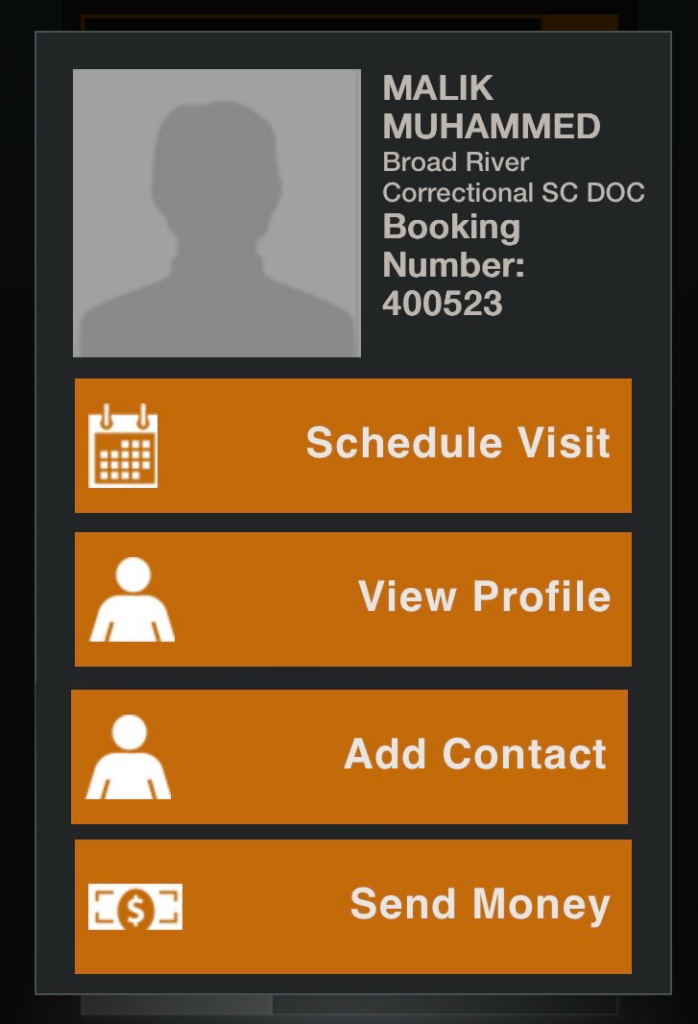
3) After clicking on Malik’s name, a popup screen with a range of options will appear. Select “Add Contact”.
App
1) Go to “Contacts” in the bottom row of buttons.
2) From there, a new page will appear. Select “Add a Contact”.
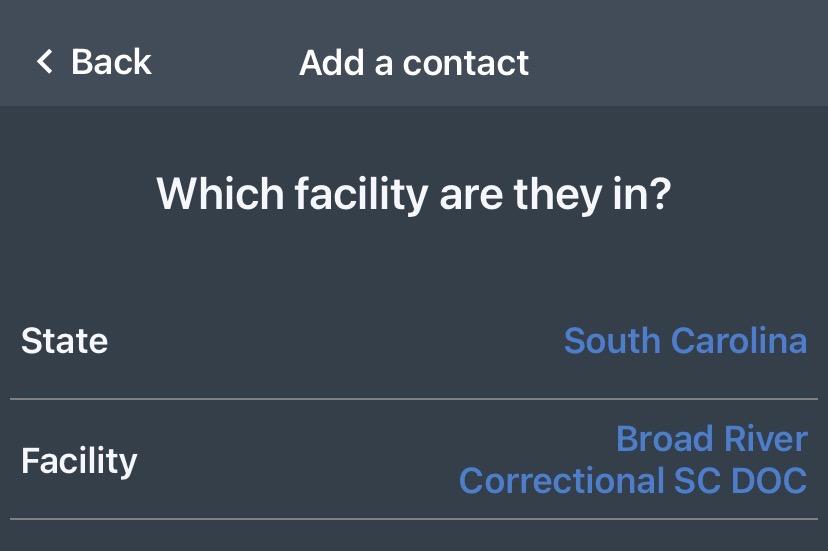
3) Select the state (South Carolina) and facility (Broad River Correctional SC DOC).
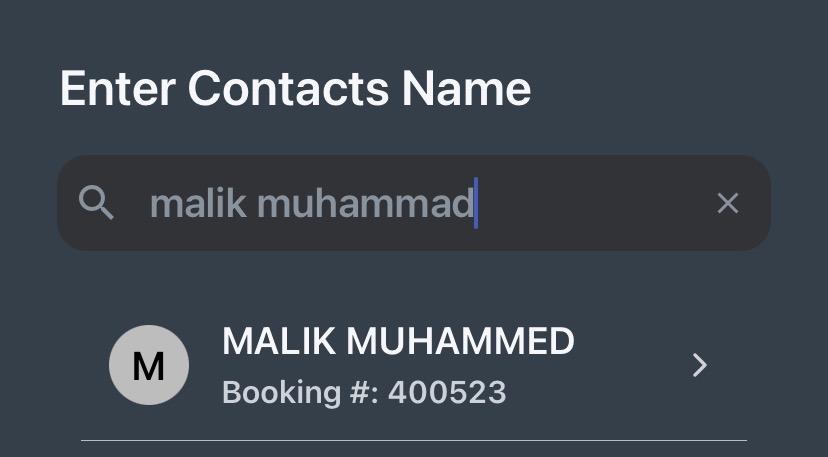
4) Enter the contact’s name by typing in “Malik Muhammad.” They will appear with their booking number #400523.
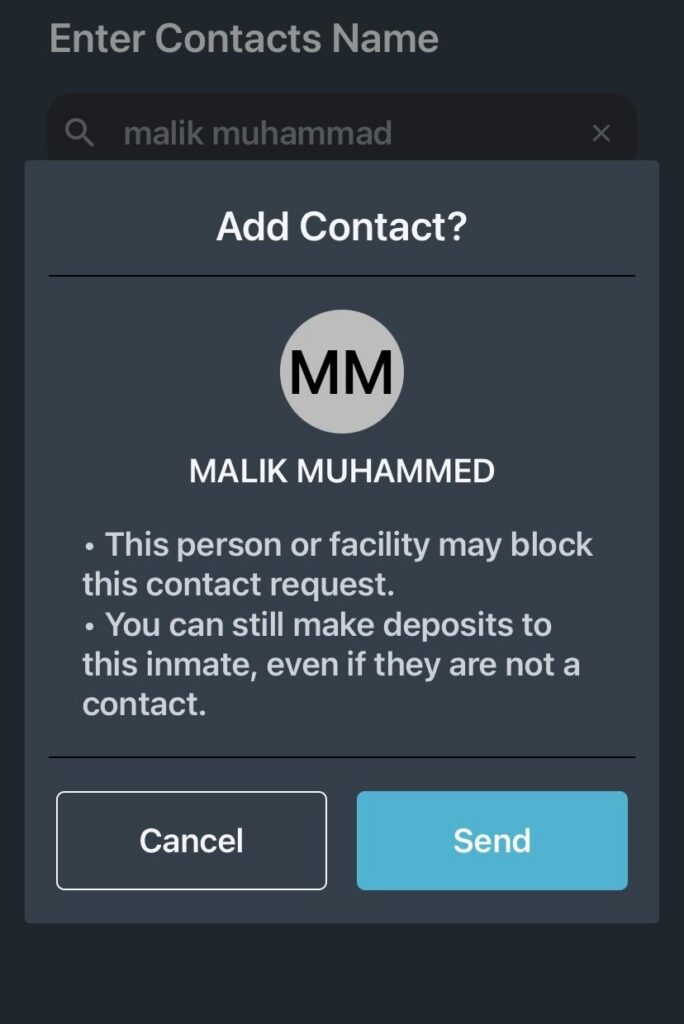
5) After clicking on Malik’s name, a popup that says “Add Contact?” will appear. Press the “Send” button to add them as a friend.
Verifying your account
You will have to verify your account to send messages to Malik.
In order to do this, you will need to submit an application, which asks for the following:
- Full name
- Address (Ensure that the address you submit for verification is an exact match to the address you submitted when you first made your account because even a slight mismatch can lead to issues)
- Last four digits of SSN
- Picture of ID, either driver’s license or passport
- A photo of yourself
Once the application has successfully submitted, whenever you attempt to send a message, GTL will display a page saying your application is waiting to be verified.
If the site/app keeps crashing every time you try to submit your application…
Call GTL’s customer service line (866) 516-0115. An automated message will play, asking you to select the prison that is applicable for you. You will have to sit through a long menu option of different prisons in your area code, which may take up to ten minutes. Eventually, you will get the option to use your keypad to type in “Broad River” (pressing the digits 27623 on your keypad should suffice).
Then you will have the option to connect to a customer service representative. If you tell them, “I’m trying to complete the application to verify my account so I can message someone, but the verification page keeps crashing every time I press submit,” the representative will complete a ticket for your verification on your behalf.
You will have to verify your identity first by providing your:
- Full name
- Phone number
- Email address
- The name of the inmate you want to contact
- The date of the last three most recent messages you’ve sent
You will then be asked to create a PIN so verifying your identity whenever you call customer service takes less time in the future.
It can take up to 1-3 business days to get approved. If it takes any longer that, you will have to call back, and they will submit another ticket for you.
If you completed the application and got approved, but now GTL is asking you to verify yourself again…
GTL automatically unvalidates you each and every time you login again. While you could just never log out of the browser/app, sometimes the browser/app automatically logs you out. You’ll have to call the customer service line (866) 516-0115, choose to speak to a customer service representative from the automated menu, and when a representative picks up, ask for the supervisor. The supervisor will then just hit the validate button again for you.
Phone calls
Malik gets four phone calls a day that can last up to an hour. Whether or not the call lasts for thirty seconds or the full hour, it counts towards the four phone calls. Because of this restriction on comms, Malik would like for people to ensure that they can commit to the full hour before Malik calls.
For regular calls, they would prefer if people intentionally set aside a day and time for them and let them know if anything changes schedule or capacity wise.
The site to register your phone number is ConnectNetwork.
While helping pay for calls is not at all required, it is appreciated. Calling rates are $0.06/min. A full sixty minute call costs $3.30.
While helping pay for calls is not required, it is much appreciated. Calling rates are $0.06/min. A full 60 minute call costs $3.30.
Should you have the financial means and desire to pay, you’ll need to add Malik as a contact before you can add funds.
Adding Malik
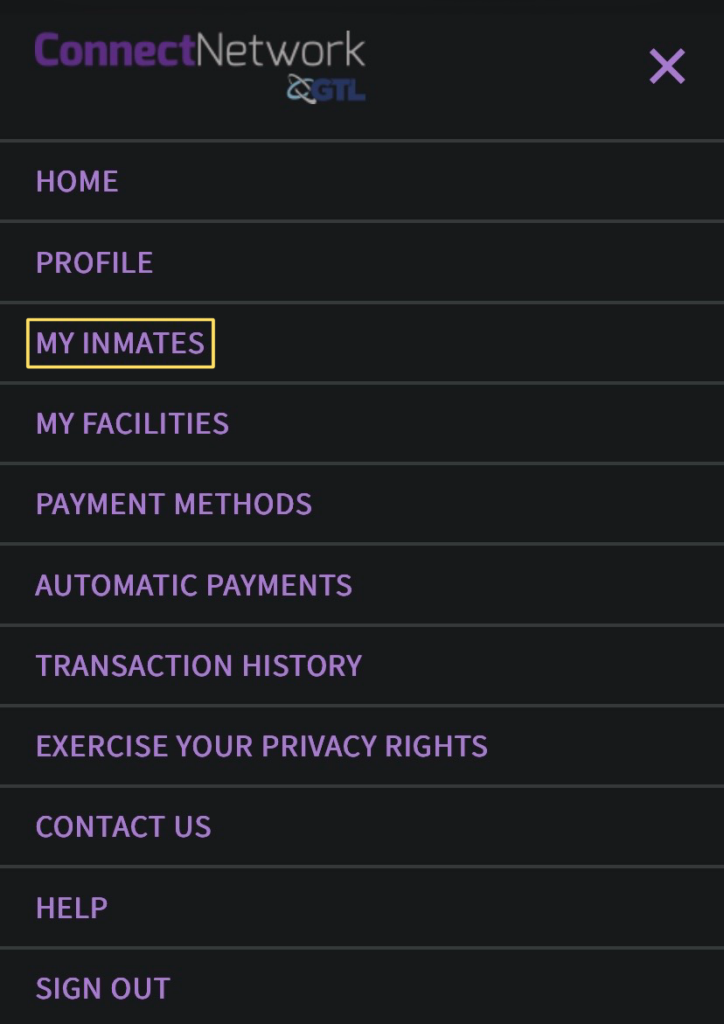
1) At the home page, click the burger menu button on the top right, then select “My Inmates”.
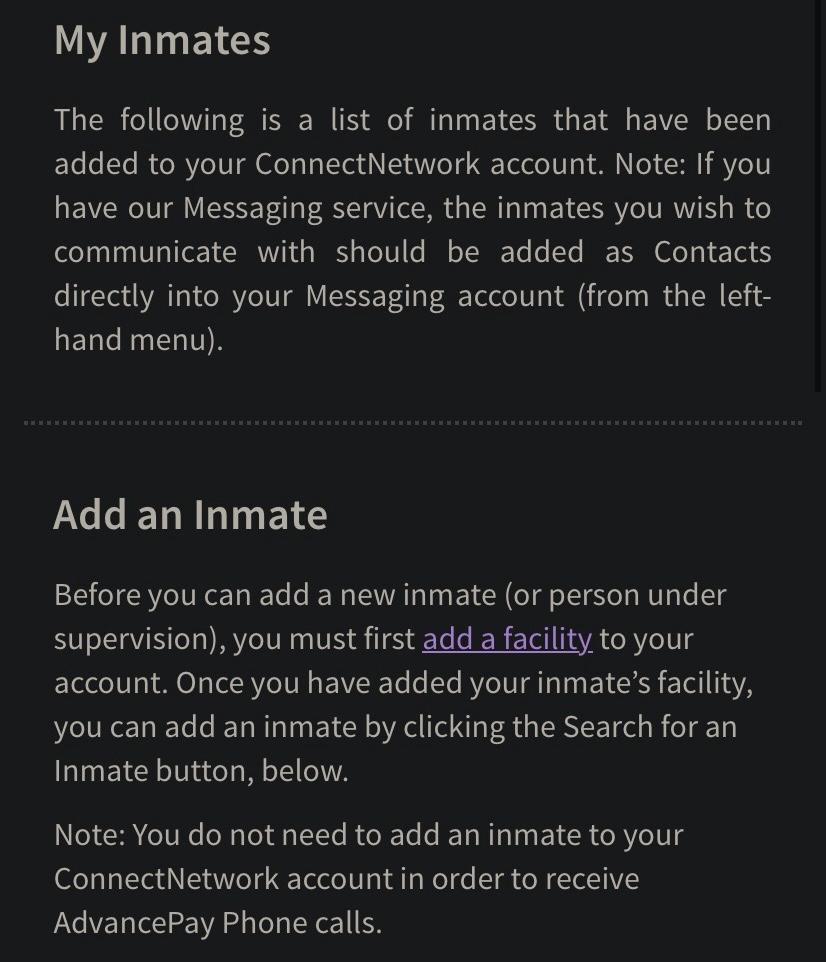
2) You will be taken to a page that displays the inmates you’ve added and offers the option to add an inmate. Click the hyperlink at “add a facility”.
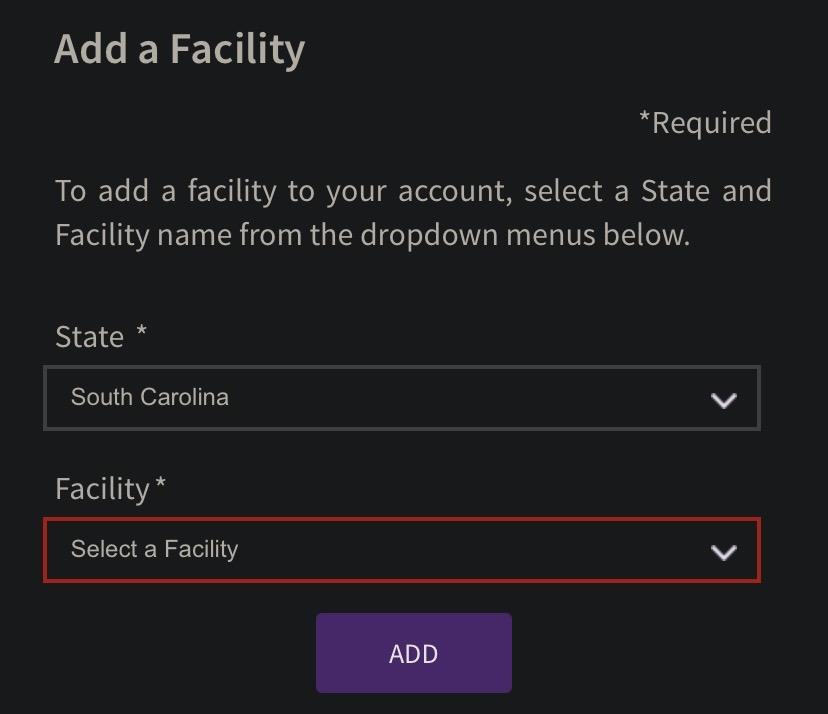
3) On this new page, select your state (South Carolina) and facility (South Carolina Department of Corrections).
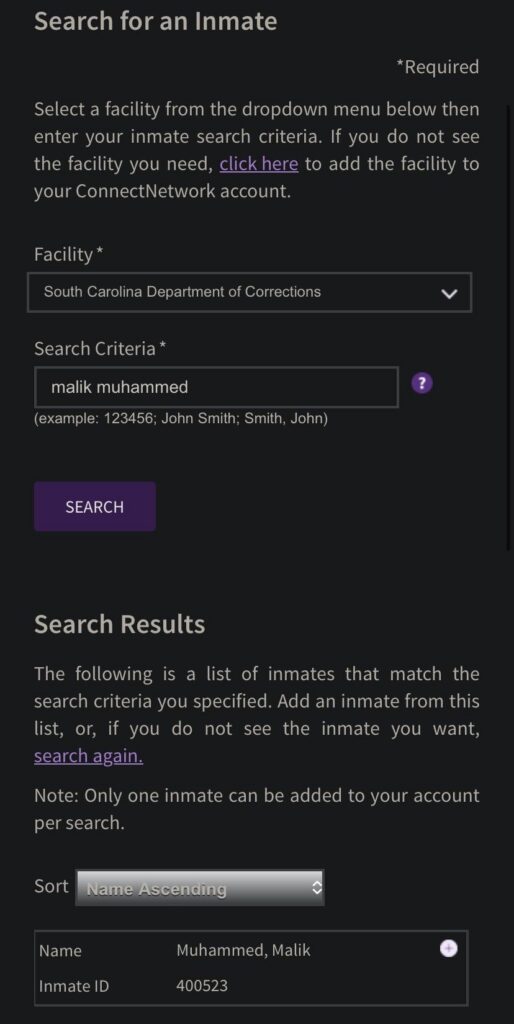
4) Go back to the “My Inmates” page. You will now be able to select the facility (“South Carolina Department of Corrections”) and type “Malik Muhammed” in the Search Criteria bar. (Be sure to spell it as “Muhammed,” since the search is case sensitive.)
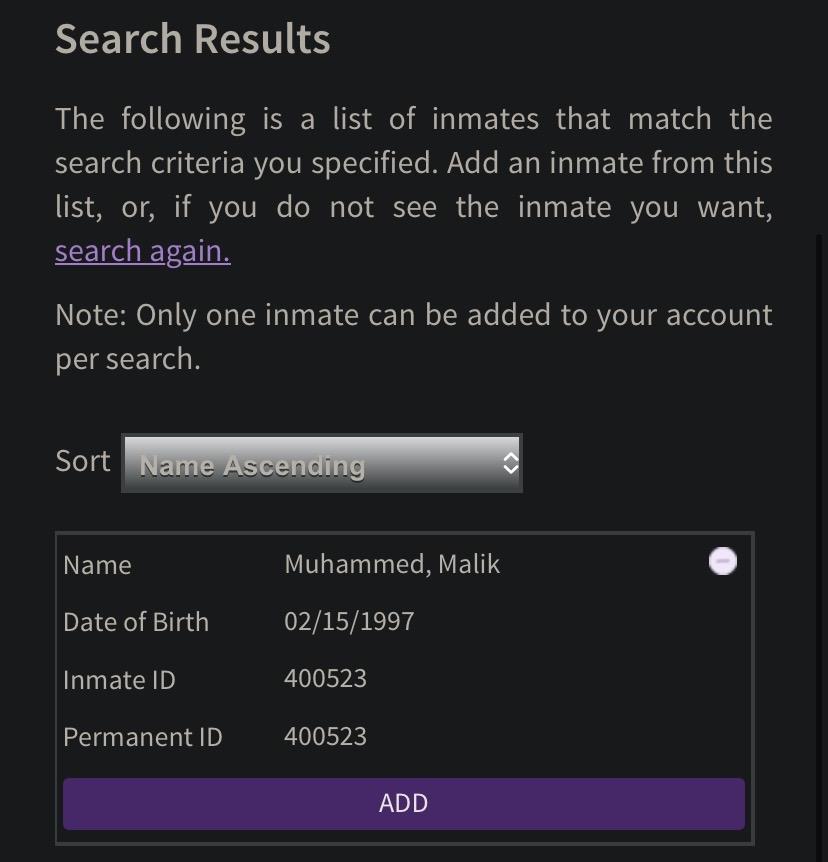
5) Click the + button to show more, then click “Add.”
Adding funds
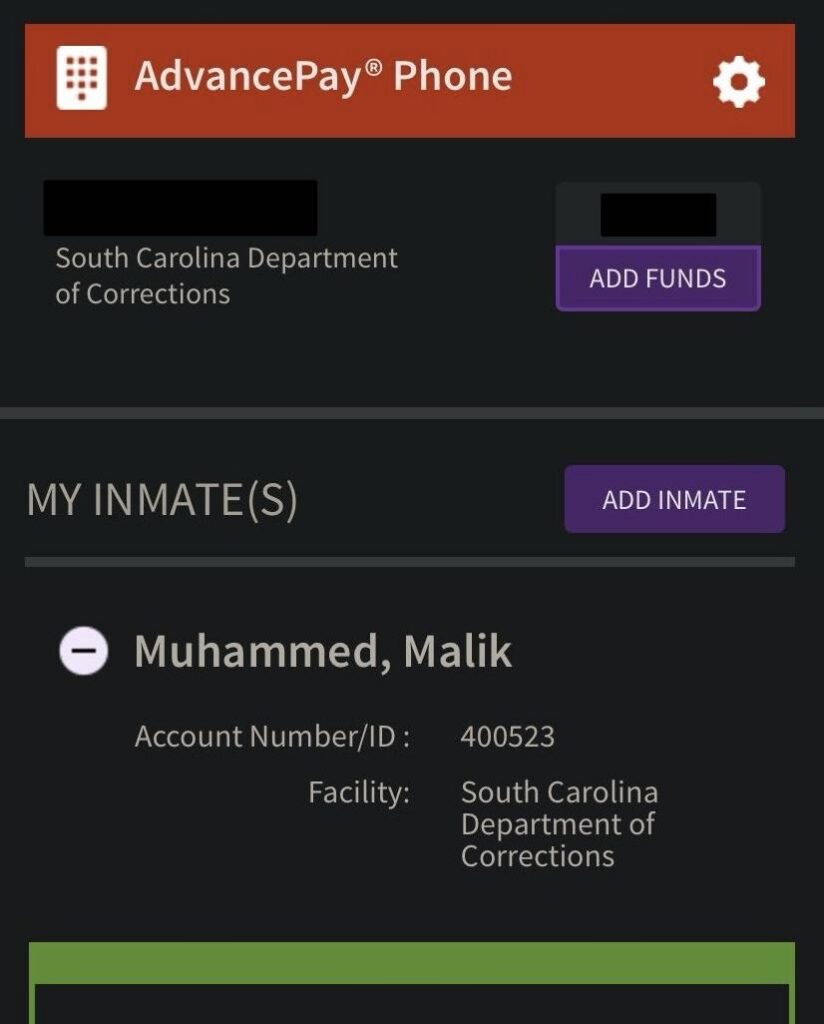
1) The home page will now display your phone number, your account balance, and the inmates you have added as a contact. Click “Add funds”.
2) After going through the pages asking you to select which account you’re putting money on and if you’d like inactivity alerts, you will reach the Payment page. Select “Pay by debit/credit card” and enter your payment amount. The fee is, to our knowledge, nonexistent in this case.
3) Review and submit order. While the site and confirmation email say it may take up to 24 hours for the money to appear on your account, it typically is available within minutes.
Be sure to let Malik know you added money to your account so they know to use it!
Visitation
Applications may be completed on this site: https://scdoc.gtlvisitme.com/app.
You will need:
- Full name
- Address
- Last four digits of SSN
- Picture of ID, either driver’s license or passport (If you have trouble uploading a picture, you may have better luck using your webcam)
- A photo of yourself
It can take up to several months for your application to be processed. You will receive an email letting you know if you were approved or rejected.
Rejections are commonplace, and because you must be an approved visitor to put money on someone’s books as per SCDC’s policy, this has heightened the dire conditions in South Carolina’s prisons.
If you are rejected, please follow the appeal process outlined in the email.
Relevant section from SCDOC’s family page:
Why might I be denied visiting privileges?
- Providing false information on your visitation application.
- If you are a former inmate. Some exceptions are made for former inmates who are immediate family members.
- You have a criminal record or pending criminal charges.
- Anyone may be disapproved if they pose a threat to the safe and secure operation of the institution.
- You are dressed inappropriately or determined to be under the influence or alcohol or drugs when you arrive at the institution for your visit.
- You refuse to go through security screening at the institution.